Schema Object Reference
This page explains the core schema concepts used in PlayServ Backoffice.
Use it when you need a clear definition of a schema object, field kind, or field setting and want to understand how it fits into the overall data model. It is meant to answer direct questions such as what an Entity is, how Relationship differs from Inclusion, or what happens when an object is marked as a Singleton.
The schema is the formal definition of a project's data structure. It describes which objects exist in the project, which fields they contain, which values those fields are allowed to store, and how those objects relate to one another.
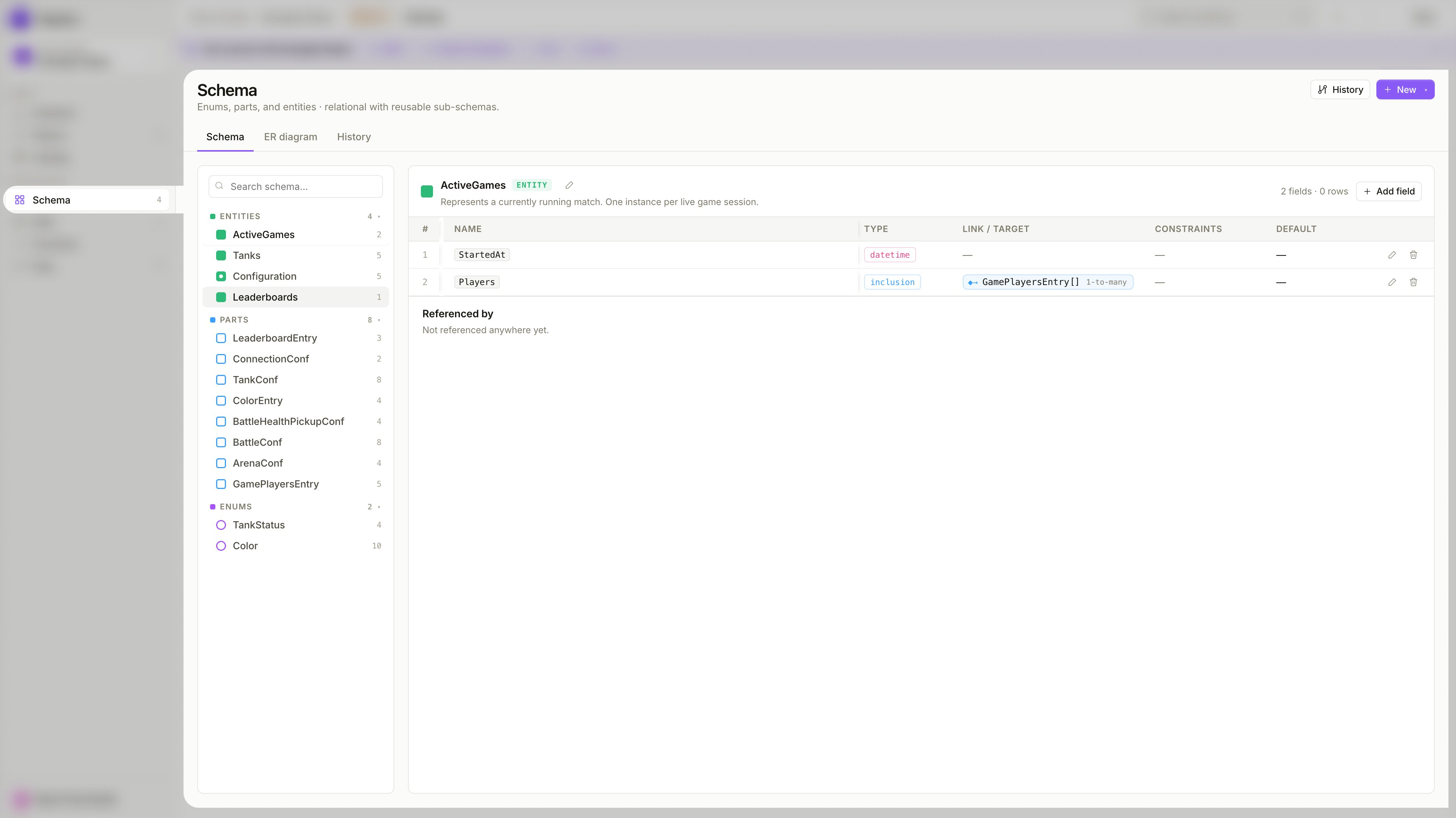
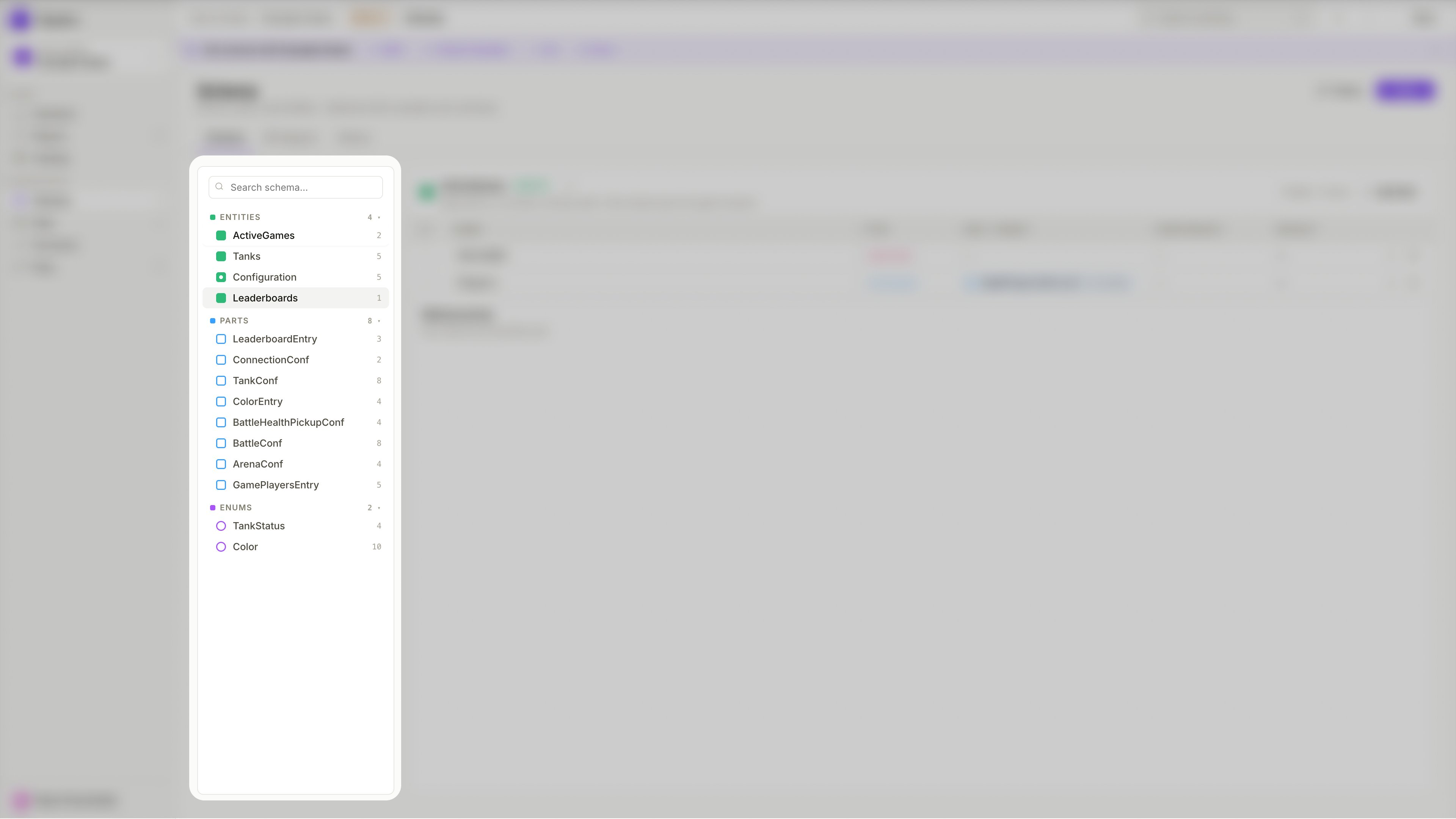
Entity, Entity Part, and Enum
The schema is built from three core object types — each plays a distinct role in the data model.
Standalone object
A top-level schema object that defines a complete standalone structure. Entities are the primary building blocks of your schema — they represent real concepts in your game such as a player profile, a weapon configuration, a shop item, or a match record.
Each Entity has its own records in the Data view. It can hold its own fields, be referenced by other Entities via Relationship fields, and have Entity Parts embedded into it via Inclusion fields.
Reusable fragment
A reusable schema object that defines a portion of structure intended to be embedded inside other schema objects. Use it when the same group of fields should appear in multiple places, or when a larger object should be assembled from smaller, named pieces instead of being defined all at once.
Entity Parts do not have their own records in the Data view — they only exist as part of the Entities that include them. Good examples are stat blocks, configuration groups, or inventory structures that belong inside a larger object.
Controlled value set
A type that defines a fixed set of allowed values. Use it when a field should accept one value from a controlled list rather than free-form input. Enums keep data consistent and prevent values from drifting over time.
For example, a TankStatus enum with values Active, Destroyed, and Respawning ensures no unexpected status value can ever be stored. Enums are referenced by fields using the Enum reference kind.
Field kinds
Every Entity and Entity Part is built from fields. When adding a field, you choose its Kind — which determines what the field stores and how it connects to the rest of the schema.
There are four field kinds: Primitive, Enum reference, Relationship → entity, and Inclusion ↩ part.
Primitive
A Primitive field stores a direct scalar value. Use it when the field should hold a single value that does not reference any other schema object.
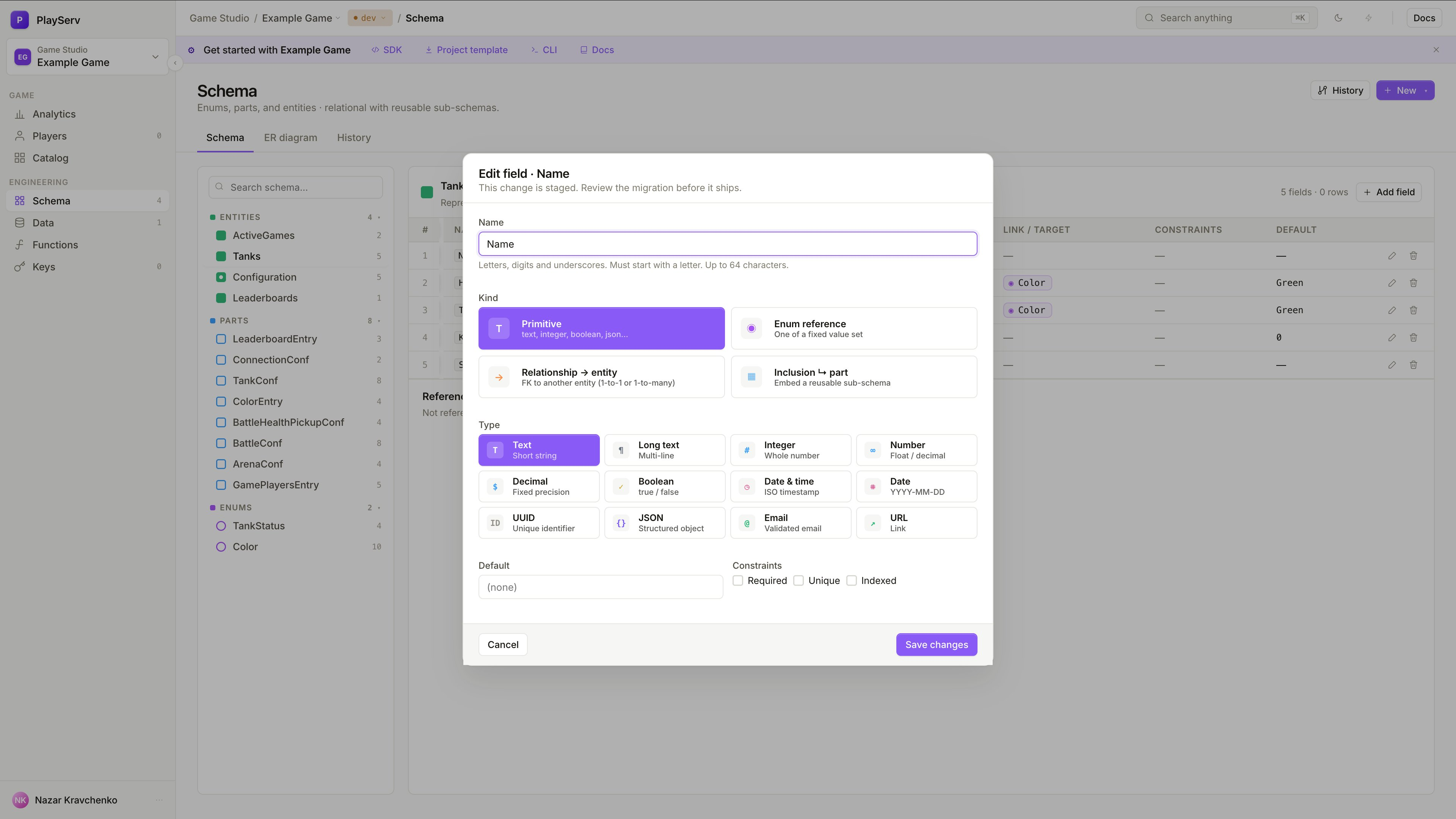
Choose Primitive when the field holds a value directly — a name, a speed value, a flag, a timestamp. Most fields in a typical schema are Primitive.
Enum reference
An Enum reference field restricts the field value to one option from a predefined Enum.
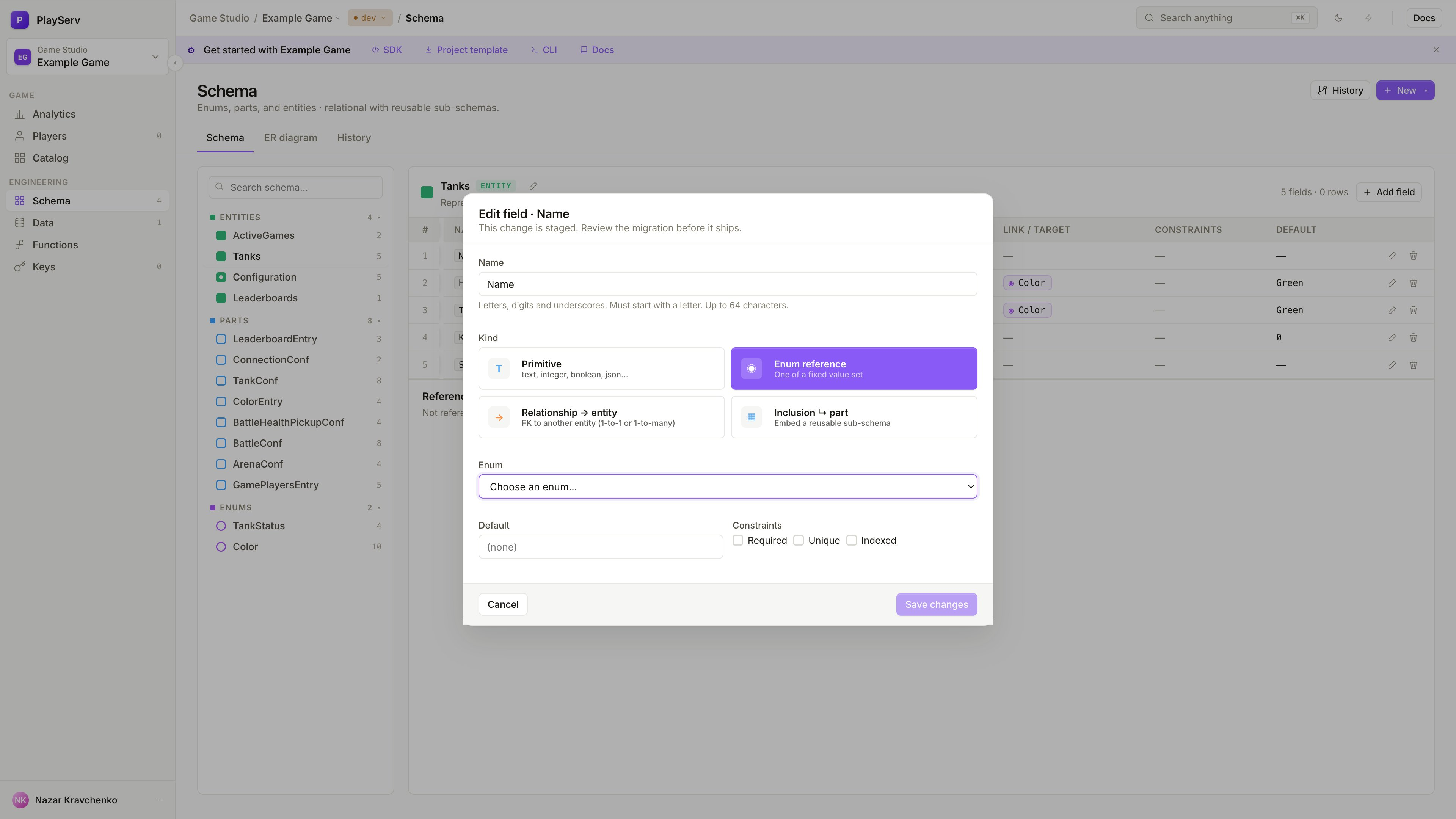
After selecting this kind, choose which Enum the field should reference. At runtime, the field can only hold one of the values defined in that Enum.
Use Enum reference when a field should accept only a controlled set of values — for example, a status field that can be Draft, Active, or Archived. This prevents free-form values from entering the data and makes the valid options explicit in the schema itself.
Relationship → entity
A Relationship field creates a foreign key to another Entity. Use it when the current object should point to a separate, independently existing record rather than embed its structure.
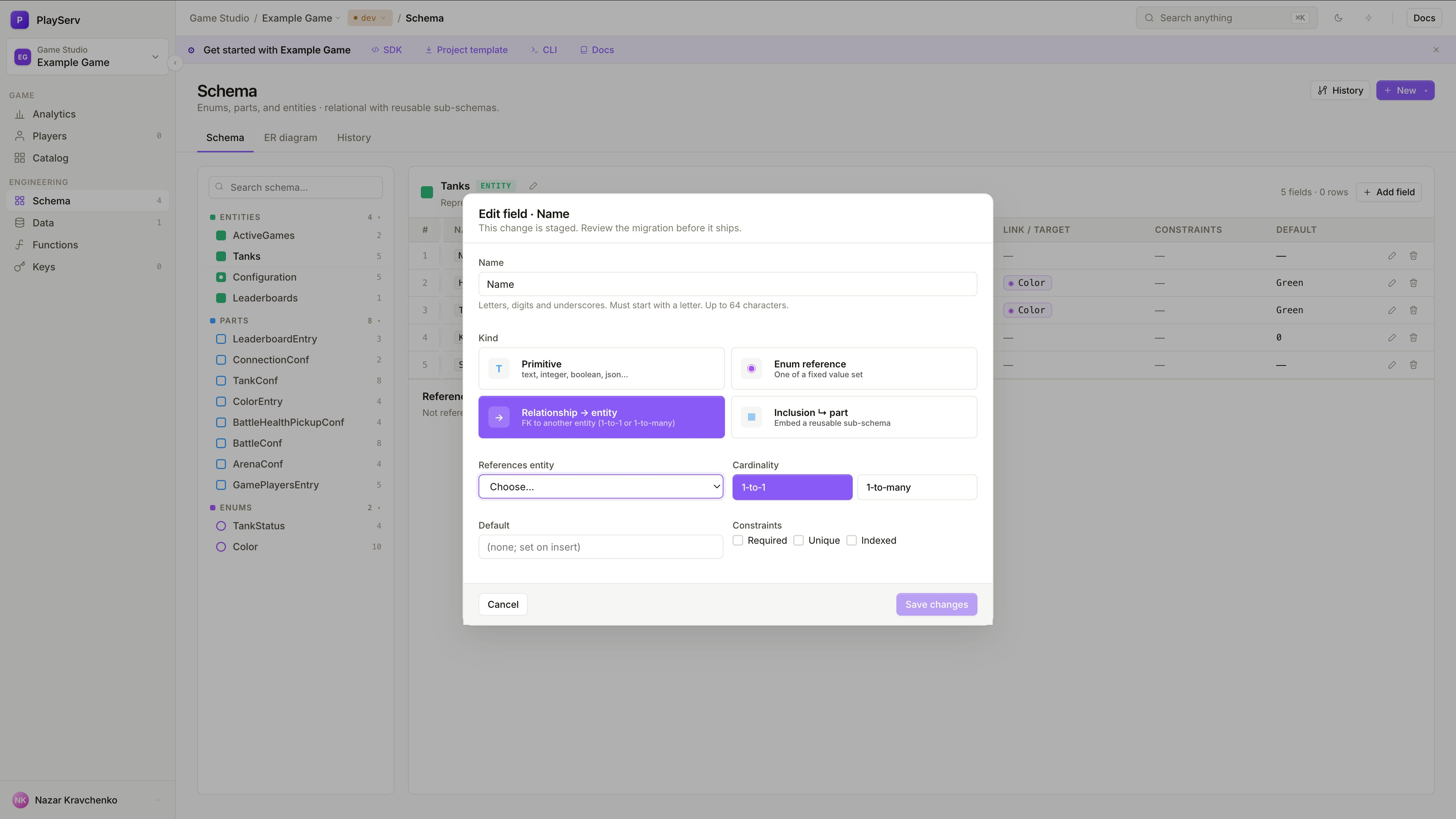
When adding a Relationship field, select the target Entity and the cardinality:
- 1-to-1 — the current object points to exactly one record of the target Entity
- 1-to-many — the current object points to multiple records of the target Entity
Use Relationship when objects are genuinely separate and should exist independently. For example, a Match entity that references a list of Player entities — players exist on their own and can be referenced from multiple matches. Unlike Inclusion, a Relationship does not embed the target's structure; it only stores a link to it.
Use Relationship when the linked object has its own identity and lifecycle. Use Inclusion when the structure belongs to the parent and does not need to exist independently.
Inclusion ↩ part
An Inclusion field embeds an Entity Part directly into the current object as part of its structure. Use it when the nested structure belongs to the parent object and should not exist as a separate, standalone record.
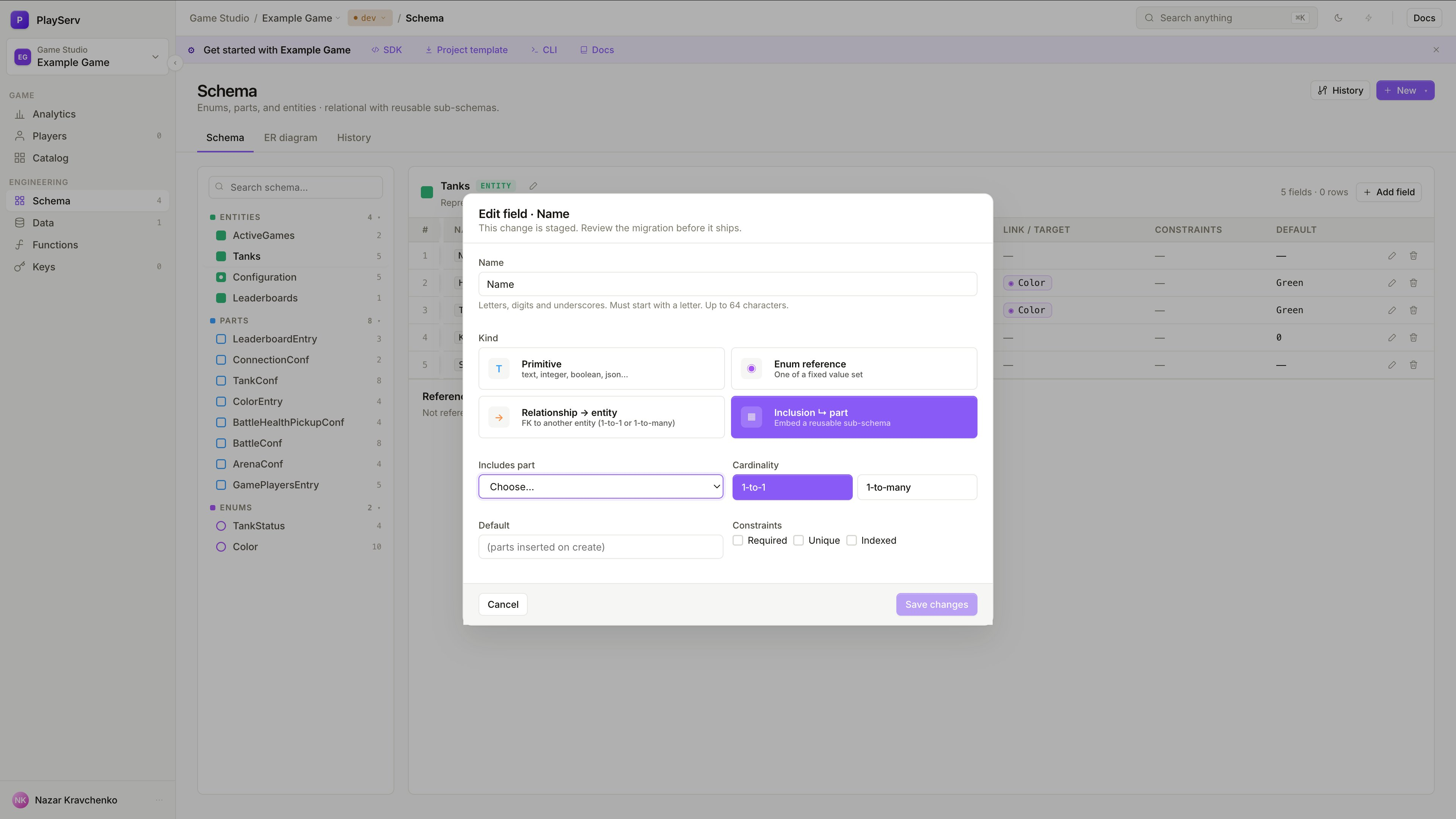
When adding an Inclusion field, select the target Entity Part and the cardinality:
- 1-to-1 — embed a single instance of the part
- 1-to-many — embed a list of instances of the part
Use Inclusion to compose larger objects from reusable structural pieces. For example, a Tank entity that includes a TankConf part for configuration and a BattleConf part for battle parameters — these structures belong to the tank and do not need to exist on their own.
Unlike Relationship, Inclusion does not create a link to a separate record. It inserts the part's fields directly into the parent's structure.
Field constraints
Every field, regardless of kind, supports a set of constraints that control how it behaves.
Singleton
A Singleton is a schema object for which only one record can ever exist.
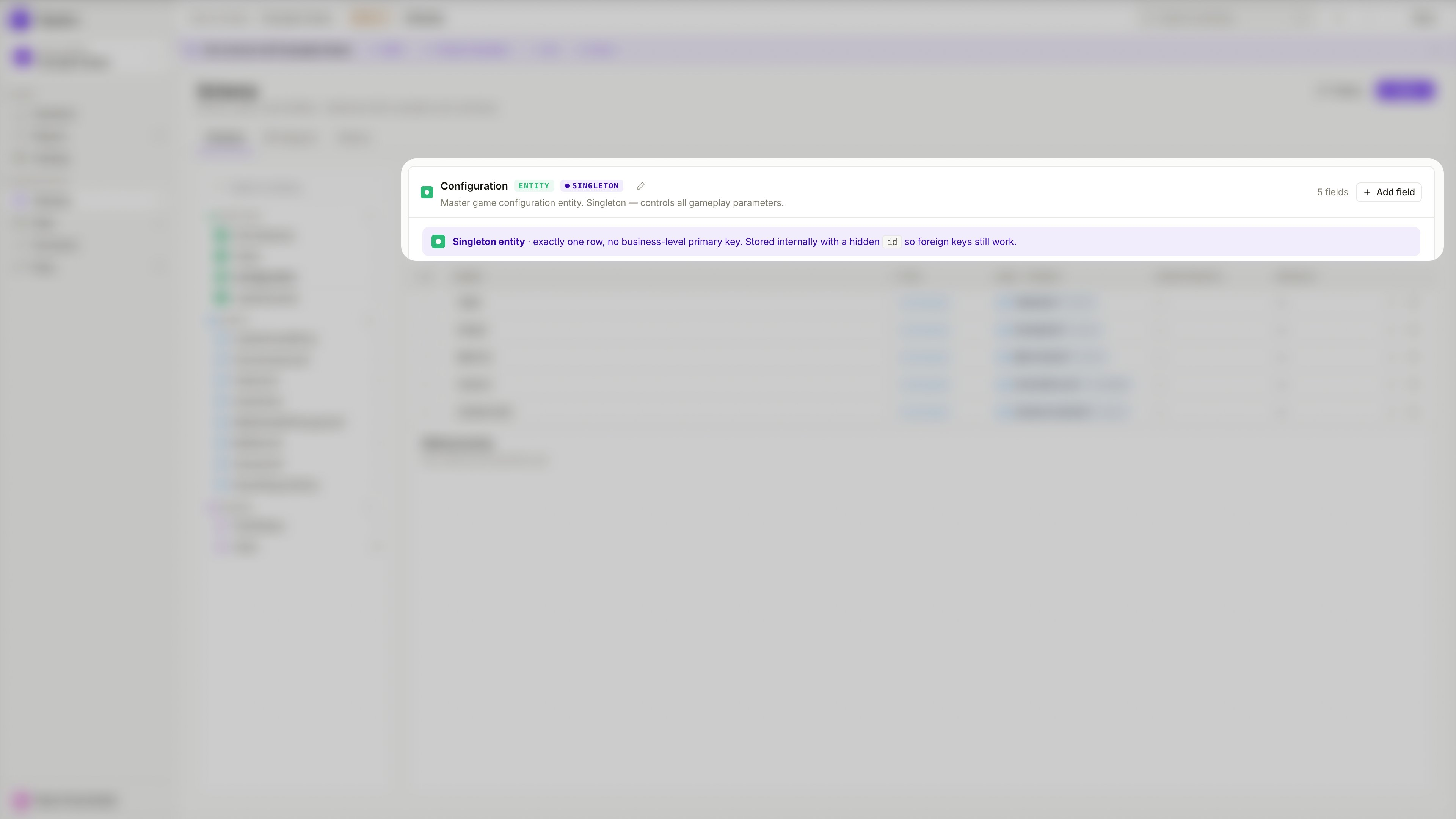
Use Singleton for global configuration objects or unique project-wide settings that should not exist as a list of records. A typical example is a GameConfig entity that holds server-wide parameters — there is only one configuration, not a collection of them.
The distinction is simple:
- a regular Entity can have many records
- a Singleton Entity can have exactly one
When an Entity is marked as Singleton, the Data view reflects this — instead of a record list with a create button, it shows a single record form.
A Singleton entity has exactly one row, no business-level primary key. It is stored internally with a hidden id so foreign keys still work.
How these concepts work together
The schema starts with core objects: Entities define standalone structures, Entity Parts define reusable fragments, and Enums define controlled value sets. Those objects are built from fields. Fields store direct values through Primitive, enforce controlled values through Enum reference, link to other records through Relationship, and embed reusable structure through Inclusion. Singleton marks objects that should only ever have one record.
Together, these concepts define the full structure that a project's data will follow.
Next step
To move from definitions to hands-on setup, continue with Building a Game Schema.